
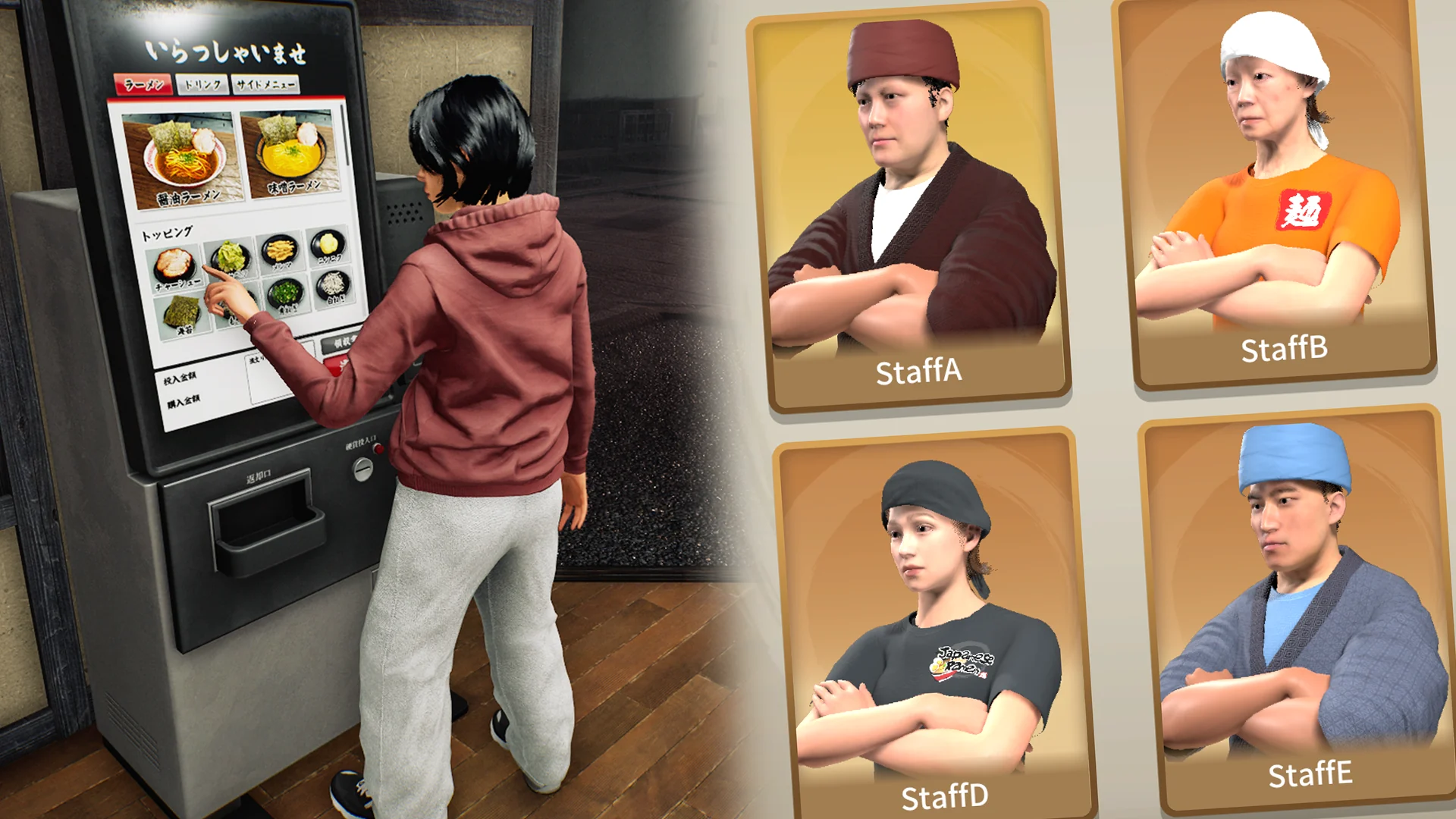
Reset clothing colours; check staff identity separately.
The 5 November update adds a control to restore clothing colours to their defaults and an indicator showing staff already hired. It also repairs the male uniform headband and shirt-interior rendering. These are appearance and interface changes, not staff-speed upgrades.
Reset colours before rebuilding the entire outfit
If a colour experiment becomes hard to undo, the new reset option restores clothing colours to their defaults. The note names colours; it does not establish that the same action resets the selected face, body type, garment, pattern and every applied design. Inspect the control’s actual scope before assuming it rebuilds a character from scratch.
Try a palette on one worker first and compare it near the workstations. Keep the garment and pattern steady while choosing colour, then decide whether to extend the result to the team. This makes a visual change easier to judge and avoids confusing a different outfit with different lighting.
Use the hired indicator, then confirm the role
The staff list now identifies employees already hired. Use it to distinguish selection in the list from the workers who actually belong to the shop. An outfit that matches your cook does not establish another employee’s assignment; appearance, hired status and working role are separate observations.
The patch also fixes distortion at the back of the male uniform headband and the rendering of shirt interiors. If an outfit still looks wrong, keep a view of the affected area and the build. A visual defect does not establish a serving or cleanup failure, so report that behaviour separately.
Start with one recognisable idea
A staff outfit works best when it belongs to the restaurant around it. Choose a small visual theme before changing every available option: a restrained counter shop, a bright casual kitchen, or a pattern that repeats your own sign. These are design suggestions, not preset names or requirements in the game.
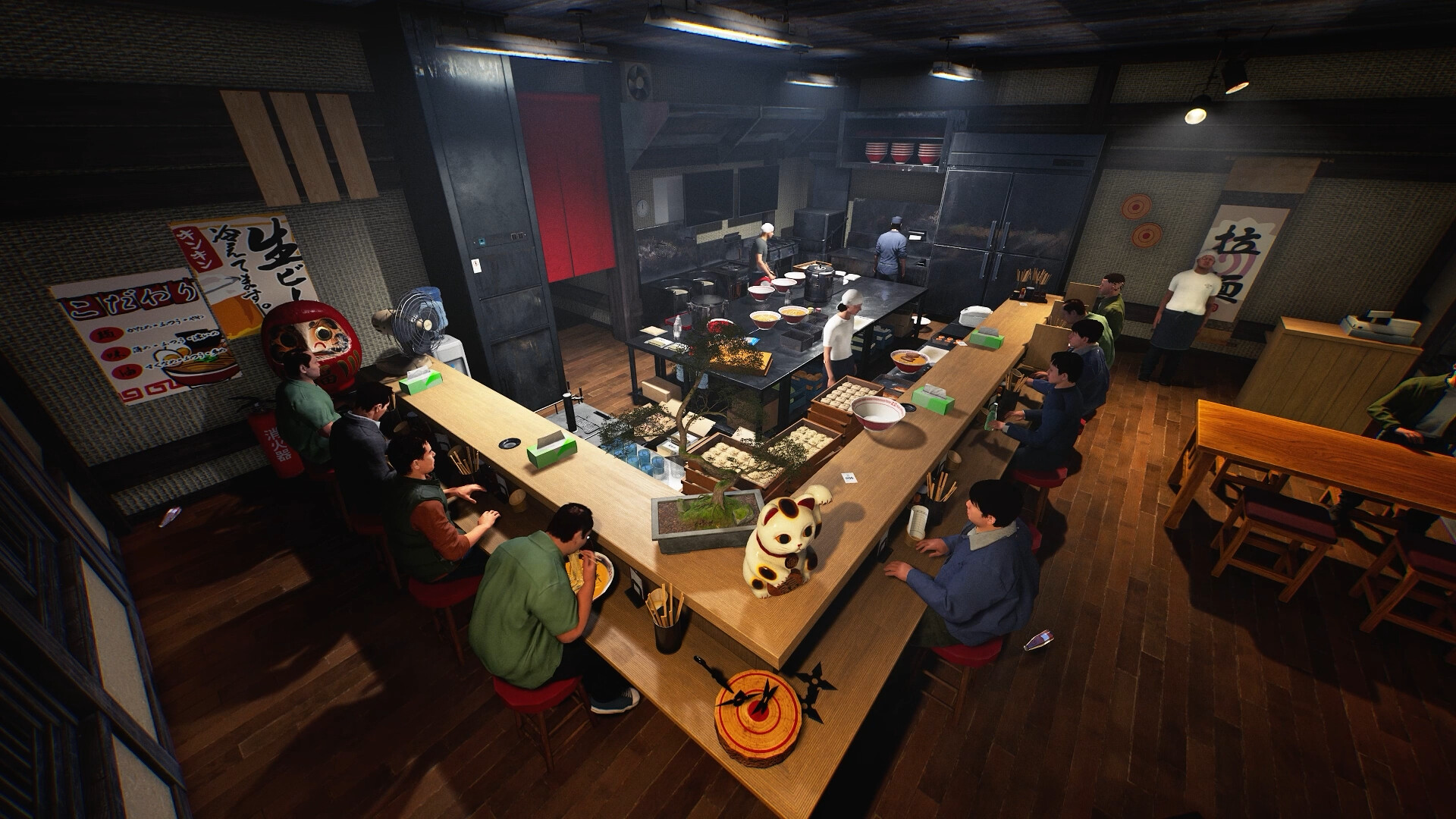
Use one staff member to establish the idea, then inspect it in context. A colour that looks distinct on a customisation screen may blend into the kitchen. The patch confirms appearance controls, but does not describe a universal import button sequence, automatic uniform template or a copy-to-all command. Use the current staff detail interface rather than following invented menu steps.
Write a one-sentence brief for your shop’s look. Choose a base colour, a contrasting accent and one repeated detail before editing the rest of the team.
Make My Designs serve the whole composition
The new staff feature accepts My Designs alongside clothing colours and patterns. The same patch separately adds support for a design on the front of the Jinbei apron. Treat that as a named placement capability, not proof that every garment accepts artwork on every surface.
For your own artwork, use a mark that is easy to recognise from a working distance. A tiny line of text may matter less than a clear shape or a consistent block of colour. Check the visible result before filling the design with detail. The game’s published feature permits application of a design; it does not guarantee that a complicated image will remain readable on a moving character.
Try a simple version first. Inspect the garment’s actual supported surface, then decide whether the extra detail improves recognition.
Keep identity separate from job assignment
You can use different accents as a team convention: one look for the people you associate with service, another for cleanup. That visual convention is yours. It is not evidence that changing clothing changes an employee’s role, route, skill or speed.
If you are troubleshooting staff who stop working, return to the workstation, assignment and observed stage of the job. The 28 October update includes separate fixes for staff collisions and tray delivery. An appearance edit should not be offered as a repair for those mechanics. Keeping the two kinds of change separate makes both the shop design and a bug report easier to understand.
Build a small style reference you can reuse
Take a note of the colours and supported artwork placements you chose. Keep the original image file if you use your own design, so the visual identity does not depend on remembering a thumbnail. A useful shop reference has a purpose—recognition, atmosphere or a particular theme—rather than just a list of every setting touched.
Before making a large batch of changes, look at one character in the environment you actually use. Judge the outfit beside the counter, the shop sign and nearby equipment. The goal is a shop that feels coherent to you, not a claim that matching uniforms alter customer ratings. No such rating effect is established by these patch notes.
Before you change your setup
Does colour reset remove all my customisation?
The note specifies restoring clothing colours. It does not establish a complete face, clothing, pattern and design reset.
Can I change staff faces and body types?
Yes. Both are named in the 28 October staff customisation feature.
Can staff clothing use My Designs?
Yes. The patch lists My Designs along with clothing colours and patterns.
Do uniforms improve staff speed?
The reviewed appearance feature makes no performance claim. Evaluate work behaviour separately.
Can every clothing surface display an image?
That is not established. The patch specifically adds the front of the Jinbei apron and lists staff clothing support; check each available placement in the game.
Sources, version and editorial scope
Updated 9 November 2026 from Wild Dog’s 6 November mini update, v0.1.74.19895, 5 November content update, v0.1.73.19851, and 30 October networking and staff update. These are developer-reported changes; our suggested routines are editorial advice.
Earlier feature and background sources: Wild Dog’s 28 October update, v0.1.63.19293, the official Steam store description and the developer’s game overview. The patch text was retrieved from the official Steam news API; its publication timestamp is 28 October, 12:11 UTC.
Feature availability, conditions and version changes come from the developer. Suggested comparisons and team routines are our editorial advice. We have not measured this build’s throughput, earnings or control behaviour in a playtest. Send a correction with a source and build.