
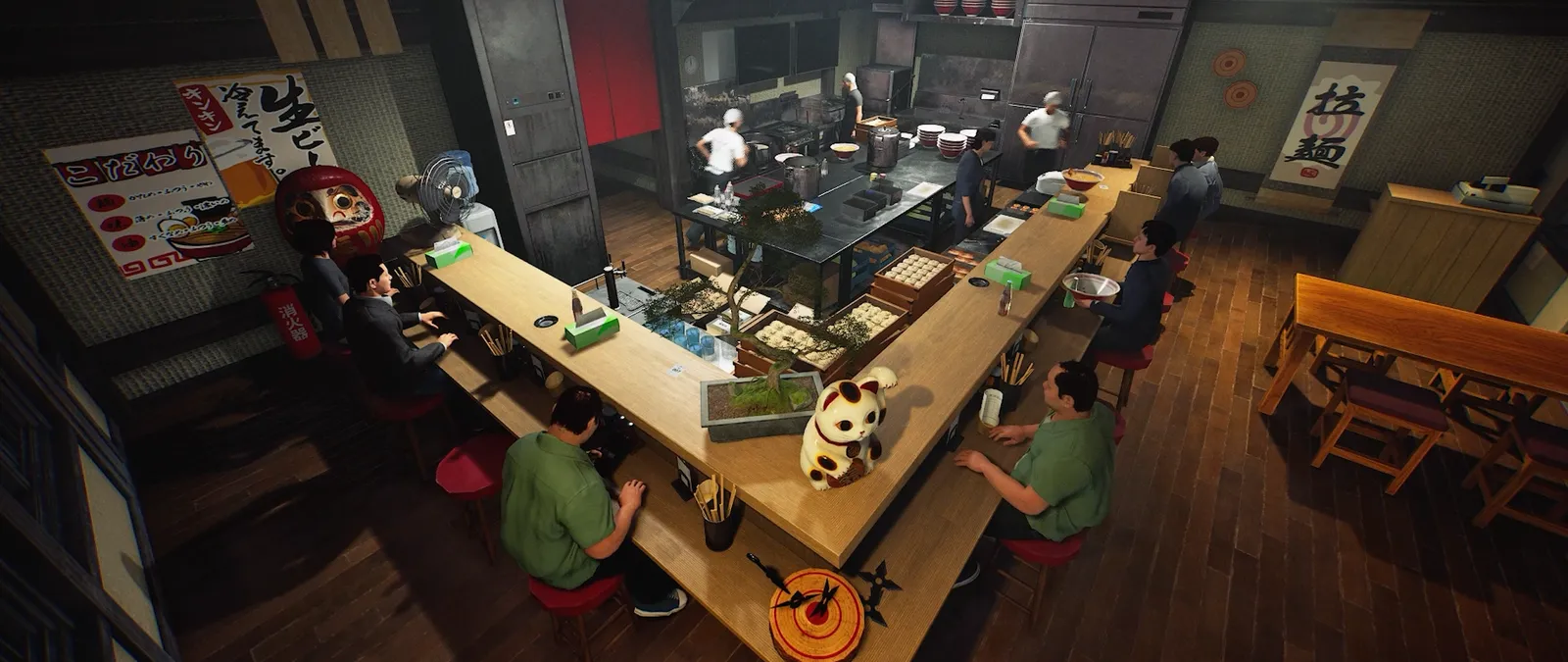
Solo pause stops gameplay. Multiplayer does not pause.
From 5 November, opening the pause menu in solo play pauses in-game time and gameplay. Multiplayer games do not pause. This is different from the October time-flow control, whose announced range is 0.5× to 1.5× and which also changes customer-arrival spacing.
Keep these distinctions clear
| Question | Confirmed information |
|---|---|
| Pause menu from 5 November | Solo: time and gameplay pause. Multiplayer: no pause. |
| Announced range | 0.5× through 1.5×. |
| Linked behaviour | Customer-arrival intervals change with time flow. |
| Not a verified claim | The notes do not establish a multiplier for player actions, cooking duration or income. |
| Comparison unit | A game day and a real-time session are different ways to compare results. |
A pause menu and a slower day are different choices
In solo, the new pause-menu behaviour provides an actual interruption to gameplay. The time-flow setting instead changes how the day proceeds while the shop runs. Do not assume that setting the speed to its minimum is the same as pausing, or that every screen in the game is necessarily the pause menu. Use the named pause menu and the behaviour shown in your current build.
If you are comparing timings, note whether you opened the pause menu and keep that interruption separate from active play. A real-world stopwatch can keep running while the solo game is paused. Without that distinction, a longer session may look like a slower recipe even though some of the time was spent outside active gameplay.
In co-op, make the break a team handoff
The same note explicitly says multiplayer does not pause. Tell the group before opening menus during service and name the job that needs covering. A host in Options is still participating in a shared shop; do not infer that host authority over World Settings also grants a global pause.
For a short settings comparison, agree on the current value, the one intended change and who watches orders while it is made. This is planning advice, not an extra pause feature. When you return, compare the actual shop state rather than assuming it remained frozen where you left it.
Choose the problem before choosing the speed
If your group needs space to learn a handoff, a slower time setting is a reasonable experiment. If you want a more compressed session, a faster setting is another experiment. Neither preference defines an optimal restaurant. Begin with the difficulty you want to investigate: keeping up with orders, coordinating people or fitting a session into the time available.
The setting is part of World Settings. Earlier released notes describe those settings as belonging to each shop and controlled by the host in multiplayer. Ask the host to identify the visible time control rather than assuming a guest can change the whole world. The new note gives a range but not the exact menu steps or whether every adjustment is applied immediately mid-shift.
Write the current value down before changing it. Keep the menu, team size and other difficulty controls steady for the first comparison.
Arrival spacing is part of the change
The linked customer-arrival interval is the detail most likely to be lost in a short tip. The patch does not offer a slow clock with a guaranteed unchanged stream of customers. If the shop feels different, both the passage of the day and the arrival rhythm belong in your explanation.
Do not extend that link to every system in the restaurant. The announcement does not separately document how each cooking process, staff action, animation or timer responds. Check the particular behaviour you care about in your installed build. A deliberate observation is more useful than declaring the setting a universal slow-motion switch.
Separate earnings per day from earnings per minute
Suppose you compare two sessions and one earns more before closing. That alone does not establish the best use of your evening. It may represent a different amount of real time, a different number of customers or fewer unfinished orders. Decide which outcome matters before recording it.
For a practical comparison, note the visible speed, actual session duration, completed orders and end-of-period result. Label your numbers clearly: “during this real-time interval” and “during this in-game day” answer different questions. Keep changes in menu or staff alongside the result so they are not silently credited to the clock. This is a measurement plan, not a claim that any rate has been tested here.
If you want an income comparison, time the session with a real clock. If you want a calmer shift, also record missed handoffs and moments when the team could not keep up.
Adjust one control, then decide what to keep
Custom difficulty already provides separate shop controls, including customer traffic and waiting-related settings. Changing all of them along with time speed makes it hard to tell what helped. Keep a short before-and-after note and change only the control connected to your question.
Your preferred setting may change as the team grows familiar with the shop. A training session and a busy social session need not share the same target. Use the setting to shape the experience you want, then revisit it when your menu, staffing or group size changes. There is no evidence in the source for a single best speed for every restaurant.
Before you change your setup
Can the host pause the multiplayer shop by opening the menu?
The reviewed change explicitly excludes multiplayer; no host-menu pause is established.
What is the minimum and maximum time speed?
The announced range is 0.5× to 1.5×.
Do customer arrivals change too?
Yes. The developer says their interval follows the time flow.
Does 1.5× mean 50% more profit?
No such result is established. Income depends on what your shop actually completes, and comparison periods must be defined.
Does this change every cooking timer?
The reviewed announcement does not detail each timer. Verify the specific interaction before relying on that assumption.
Sources, version and editorial scope
Updated 9 November 2026 from Wild Dog’s 6 November mini update, v0.1.74.19895, 5 November content update, v0.1.73.19851, and 30 October networking and staff update. These are developer-reported changes; our suggested routines are editorial advice.
Earlier feature and background sources: Wild Dog’s 28 October update, v0.1.63.19293, the official Steam store description and the developer’s game overview. The patch text was retrieved from the official Steam news API; its publication timestamp is 28 October, 12:11 UTC.
Feature availability, conditions and version changes come from the developer. Suggested comparisons and team routines are our editorial advice. We have not measured this build’s throughput, earnings or control behaviour in a playtest. Send a correction with a source and build.