
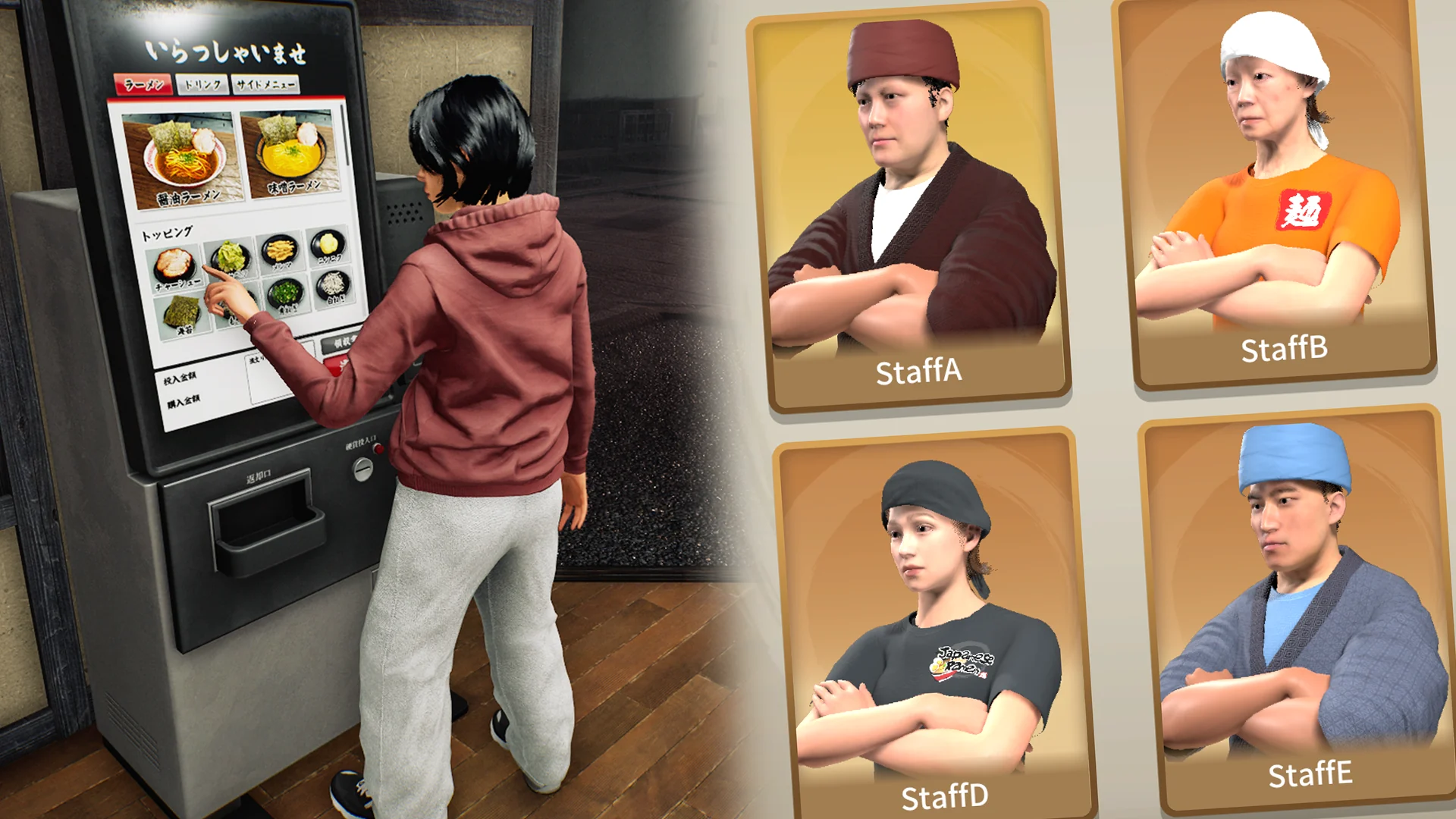
Level 12 ordering, after-meal payment—and a new theft risk.
Customers use the Level 12 Ticket Machine to order; automatic payment follows departure after a finished meal, not an early dismissal. The 5 November update adds deposits and withdrawals and allows thieves to steal money from the machine. Do not treat its balance as protected just because it automates ordering.
Keep these distinctions clear
| Question | Confirmed information |
|---|---|
| Purchase condition | Shop Level 12, according to v0.1.63.19293. |
| Order location | The machine handles the customer’s order; the slip appears at their seat after they sit. |
| Payment trigger | Departure after the meal, not the moment the machine takes the order. |
| Early dismissal | A customer sent home before finishing does not generate the automatic payment. |
| 5 November cash controls | Money can be deposited into and withdrawn from the machine. |
| 5 November theft change | Thieves can steal money from the Ticket Machine. |
5 November: the cash inside is now part of the risk
The machine now accepts deposits and withdrawals, and thieves can steal from it. Those changes belong together when you plan a shift. The order-taking appliance is also a cash location you should notice; advice that treats it as an untouchable balance is out of date.
If your balance changes unexpectedly, separate an actual withdrawal, customer payment and a possible theft before deciding that the payment trigger failed. Note the displayed balance and the event you observed. The notes do not specify a theft probability, maximum loss or a guaranteed safe withdrawal schedule, so this guide does not invent one.
Include the machine in your cash check. Follow the current deposit/withdraw prompts, and keep a balance observation separate from an assumption about who took it.
Treat installation as the start of a new workflow
Check your shop level and the equipment available to order before trying to reproduce a video. The official purchase condition is Level 12. The update also adds a tutorial for the machine; follow the instructions shown by your installed build. The notes do not specify a purchase price, a required floor plan or an ideal distance from the door.
For your first comparison, choose a customer you can follow from arrival to departure. Notice the machine interaction, then the customer sitting down and the resulting slip. This makes the new handoff visible. If you only look for an immediate balance change at the machine, you may mistake the documented payment timing for a fault.
Finish the machine tutorial, then follow one customer through ordering, sitting, eating and departure. Record the first stage that differs from the published sequence.
Keep the seat and the meal connected
The order slip belongs to the customer’s seat after they sit. The practical task is to keep that request connected to the food being prepared. A machine does not turn a partially completed order into a complete meal. In a shared shop, agree who will notice the slip and who will confirm that all ordered components are ready.
Serving Staff is a separate system introduced in the 15 October patch. Its workstation unlock is Level 9; the new machine has a Level 12 purchase requirement. Do not combine those conditions into one automatic setup. If you use both, check order creation and food delivery as separate stages. The 28 October update also fixes serving staff failing to deliver trays that held an order slip.
Give one person responsibility for the order-to-kitchen handoff during your first trial. Then decide whether the machine actually frees that person to help elsewhere.
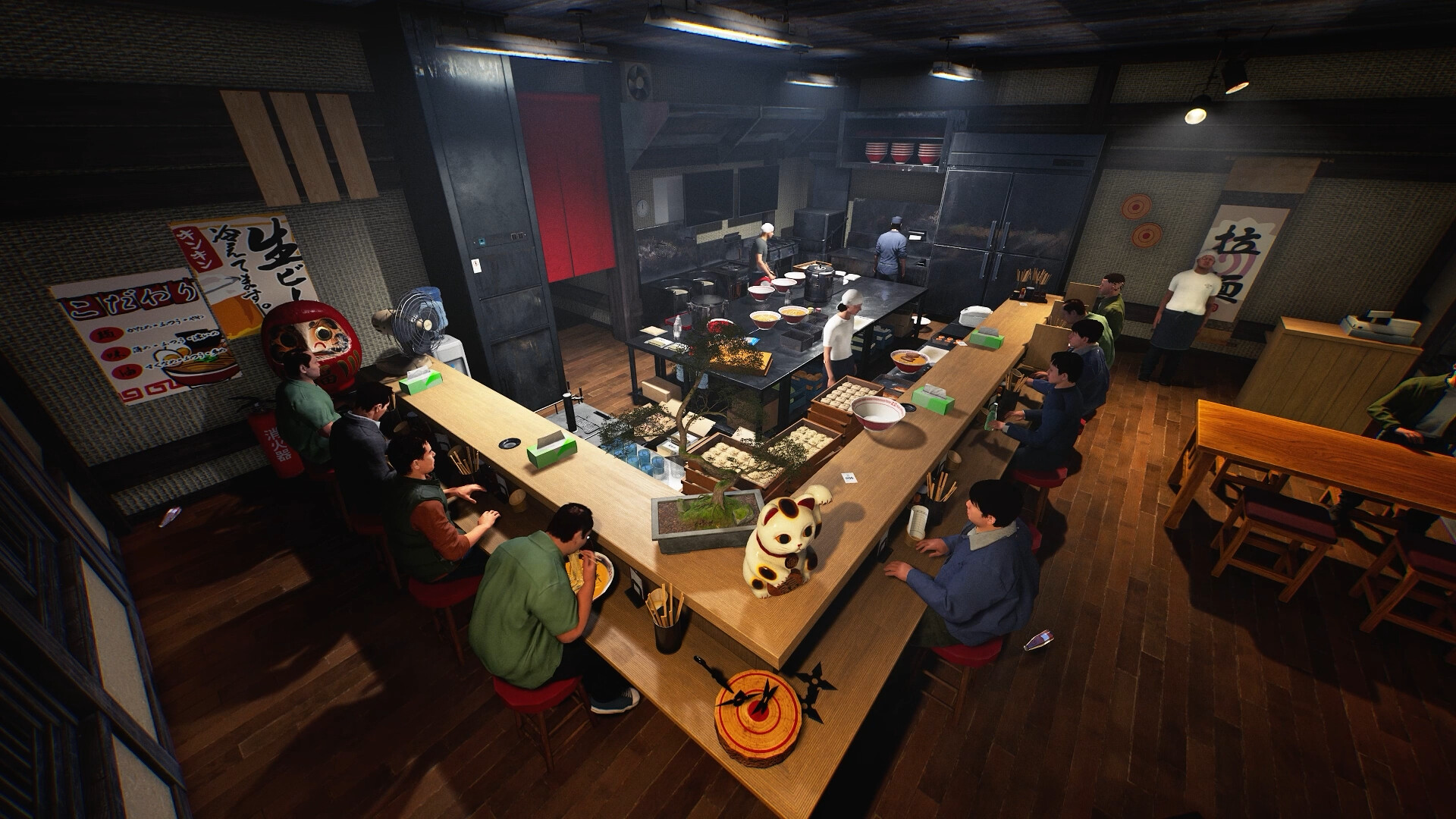
Why a seated customer has not paid yet
The developer explicitly ties automatic payment to leaving after eating. A diner still at the counter is not evidence that collection has failed. The tempting shortcut—sending a customer home to clear the seat—does not trigger payment if the meal is unfinished.
If you are checking missing income, describe the customer’s final state rather than simply reporting that the machine collected nothing. Was the meal completed? Did the customer leave normally, or did someone send them away? In multiplayer, the same update makes sale amounts visible to all players, which gives the group a shared display to compare. It does not document a new revenue multiplier.
Keep early dismissal and normal departure in separate observations. Never count a purchase at the machine as money received before the documented payment event.
Judge the upgrade by the interruption it removes
A useful question is which repeated action currently pulls your team away from the kitchen. Observe a few ordinary orders before installation, then compare the same stages afterwards. Keep the menu and group size steady enough to understand what changed. Record time if you want a timing comparison; do not infer a speed increase from the machine’s name.
This equipment may change front-of-house work, but the patch does not promise a profit percentage or a fully unattended restaurant. Cooking, missing sides, delivery and cleanup still deserve their own checks. Buy with a specific workflow in mind, then reassess where the next queue forms.
Before you change your setup
Can a thief steal money from the Ticket Machine?
Yes. The 5 November update explicitly adds this behaviour, together with deposit and withdrawal controls.
What level unlocks the Ticket Machine?
It becomes available to order at Shop Level 12.
Do customers pay before eating?
The released note says payment is processed automatically when they leave after eating.
Can I send someone away to collect faster?
No. The note specifically excludes customers sent home before finishing their meal.
Where should I put it?
The reviewed patch does not prescribe an optimal location. Follow the game’s placement rules and tutorial; this guide does not invent a placement requirement.
Sources, version and editorial scope
Updated 6 November 2026 from Wild Dog’s 6 November mini update, v0.1.74.19895, 5 November content update, v0.1.73.19851, and 30 October networking and staff update. These are developer-reported changes; our suggested routines are editorial advice.
Earlier feature and background sources: Wild Dog’s 28 October update, v0.1.63.19293, the official Steam store description and the developer’s game overview. The patch text was retrieved from the official Steam news API; its publication timestamp is 28 October, 12:11 UTC.
Feature availability, conditions and version changes come from the developer. Suggested comparisons and team routines are our editorial advice. We have not measured this build’s throughput, earnings or control behaviour in a playtest. Send a correction with a source and build.